 Mailaura Help
Verify your domain at STRATO
Open Mailaura and your provider in two tabs so you can copy the correct records directly.
Step 1
Have your Mailaura DNS records ready
First save your sender name and email address. Then add your domain: newsletter@example.com becomes example.com — without https://, www or the full email address. Open that domain’s DNS records.
Open my DNS recordsStep 2
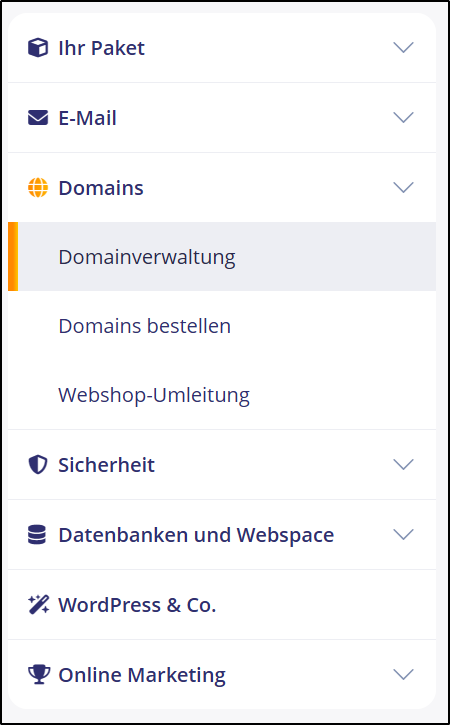
Sign in to the STRATO customer area and select your domain’s package. Open Domains → Domainverwaltung.
Step 3
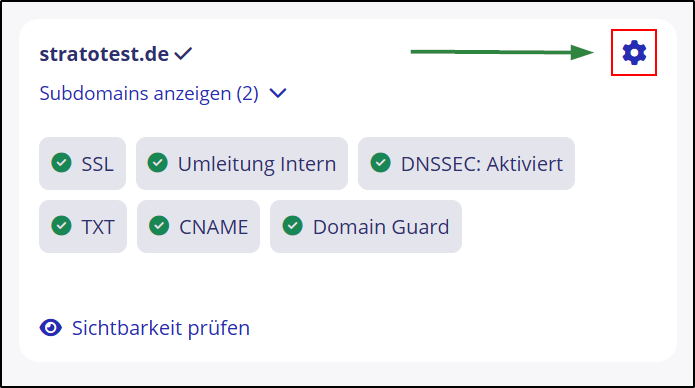
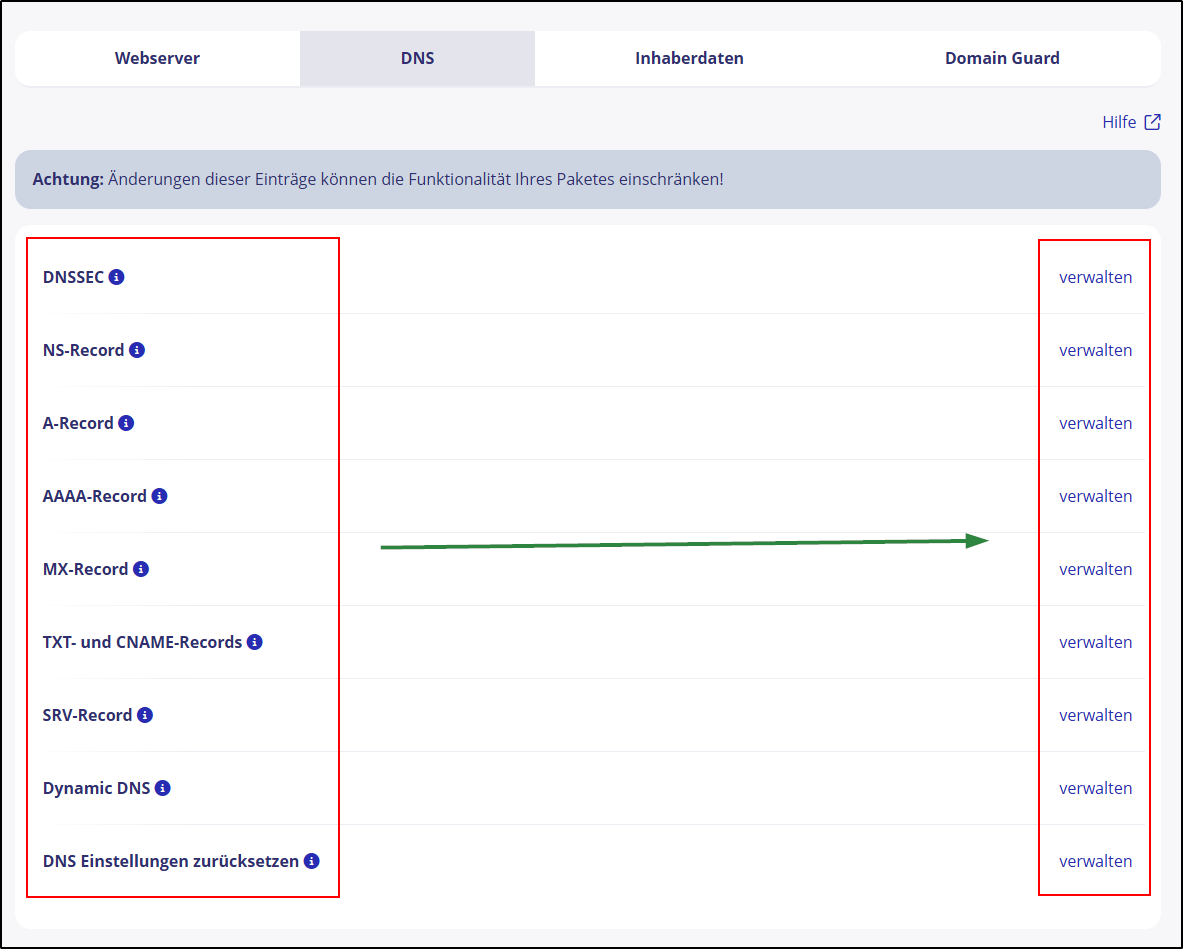
Open your domain’s settings and the DNS tab. Choose verwalten for TXT und CNAME Records.
Step 4
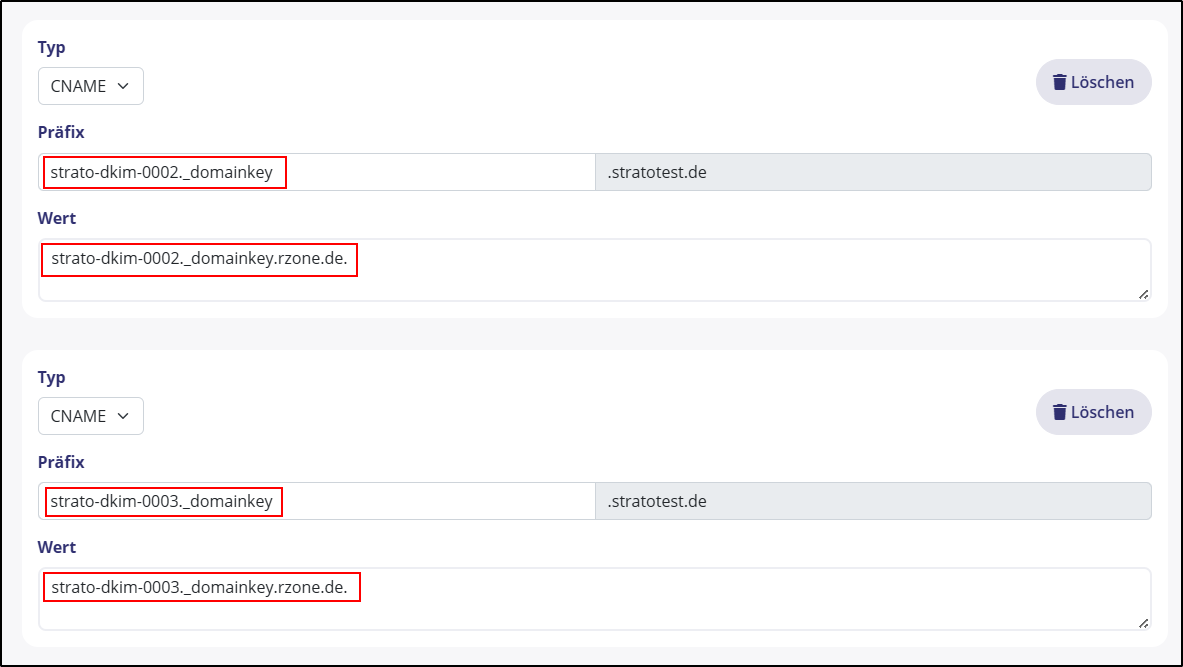
Create a TXT or CNAME record for each Mailaura entry. In the prefix field, enter only the part before your domain, then copy the Mailaura value. Confirm with Einstellungen übernehmen.
Step 5
Return to Mailaura and check verification
Click Verify in your domain overview. DNS changes may take up to 48 hours, and the sending service must also confirm the records. If a record remains pending, check its name and value and try again later. Keep the records after verification succeeds.
Back to domain setupPrefer to ask your webmaster?
Give your web designer or webmaster the DNS records from your Mailaura domain overview and a link to this guide. You do not need to share your Mailaura password.